HOMEPAGE
Pro HD/4K Cameras

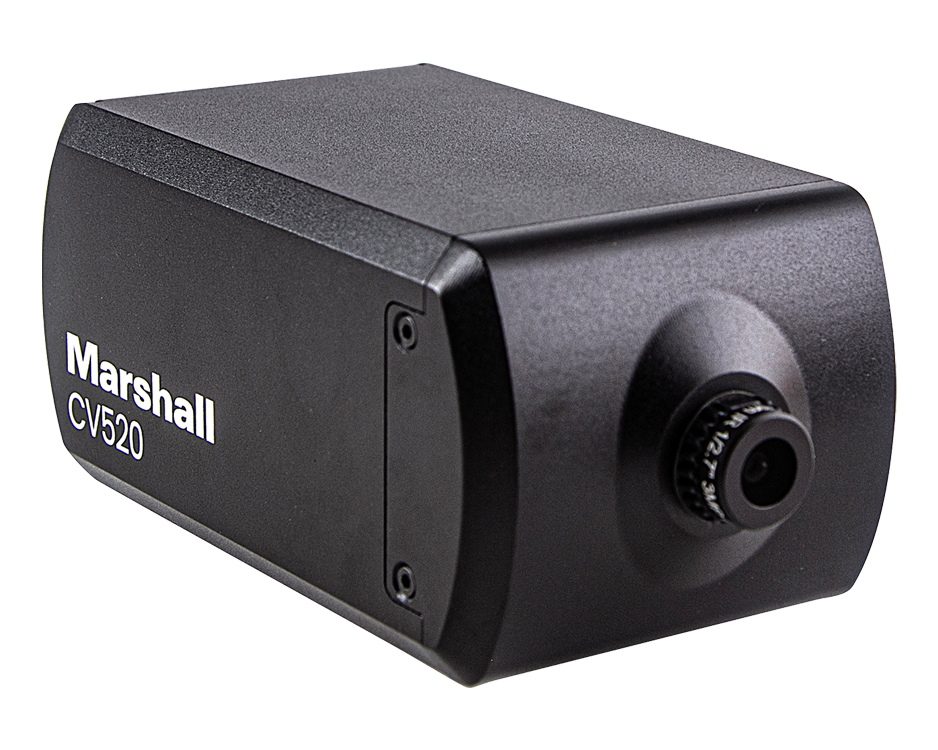
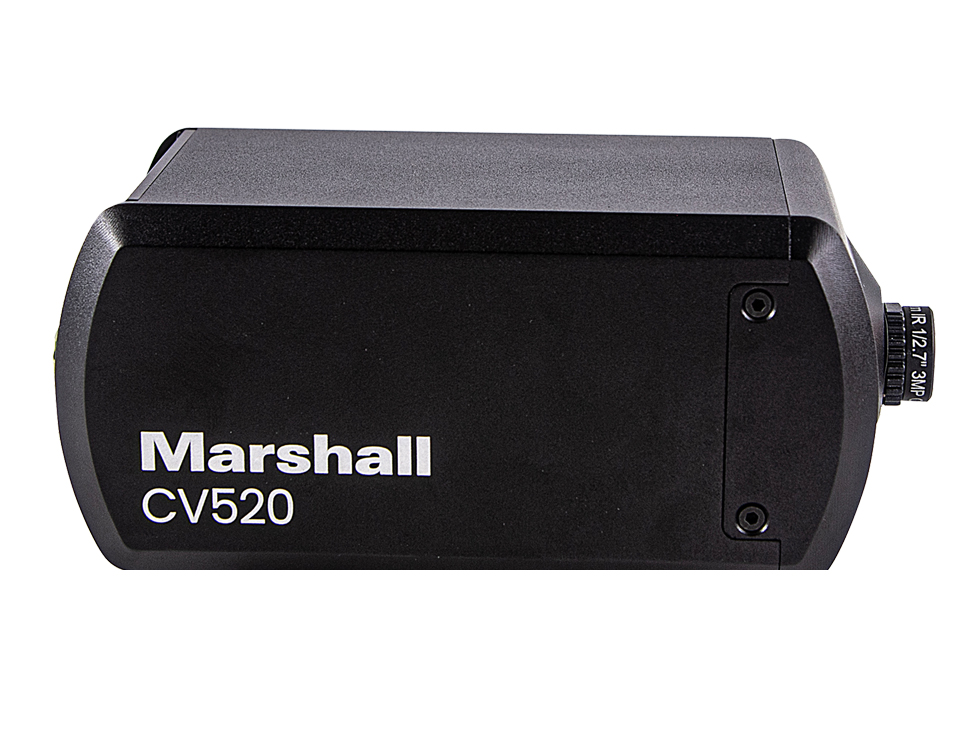
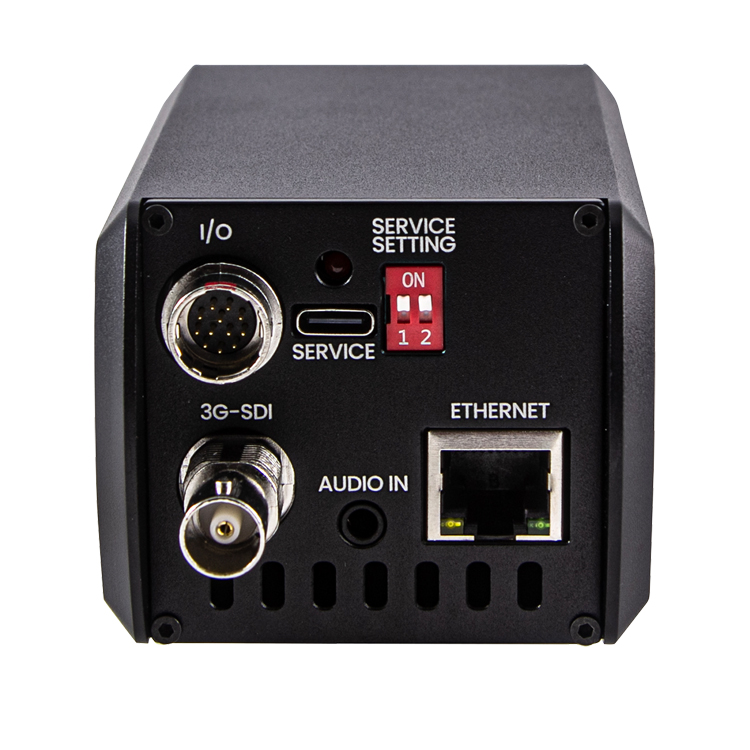
Compact CV520 is a broadcast quality POV camera with an ultra-discreet size and shape. Flexible, powerful, affordable solution for applications requiring an additional interesting perspective with simultaneous IP and 3G-SDI outputs for clean capture, rich color and sensitive in challenging light conditions.


CV520

Compact Full HD IP & 3G-SDI Camera

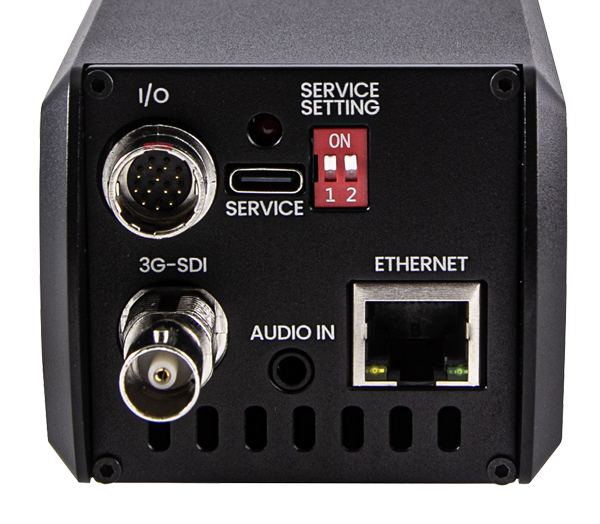
Camera Tips and Tricks Download Camera Control Software Hirose 12-pin Connector Pinout Download Images
The Marshall CV520 camera is a broadcast quality POV camera delivering exceptional FHD video performance from a durable and discreet aluminum alloy body with flexible interchangeable lenses. The new Sony sensor offers rich color accurate video with enhanced low-light sensitivity and refined remote adjust and match features making it the most powerful POV camera on the market. * All pricing, features, functionality, and other product specifications are subject to change without notice or obligation.


CV520 - New Sony 1/2.8 inch Solid-State Image Sensors

Solid-State Image Clarity

Our next generation cameras provide clear FHD images with rich color even in low-light for IP and professional SDI applications with unmatched clarity and known Marshall flexibility.

CV520 Interchangeable M12 Lenses

Interchangeable M12 Lenses

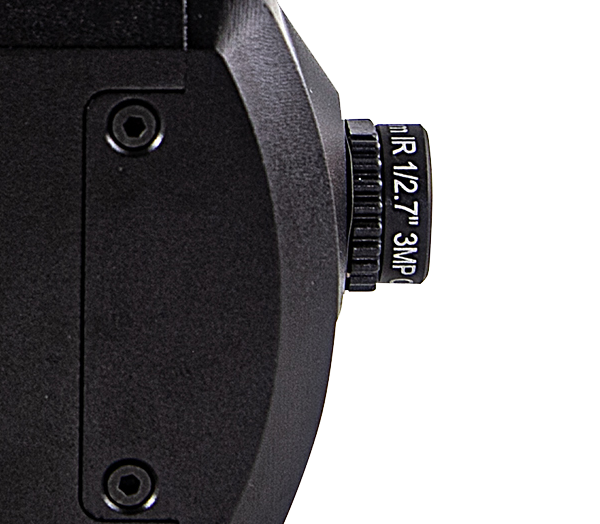
Marshall CV520 cameras come with a high-quality 4.0mm (80° H.AOV) prime lens which ensures focus from near contact to infinity. Marshall offers a wide selection of high quality M12 prime and varifocal lenses to meet the individual needs of the production, project, or application..

CV520 Durable, Flexible, Powerful miniature camera

Durable, Flexible, Powerful

The durable CV520 body is chiseled from a block of aluminum alloy with rear panel connector protection. CV520 operates with exceptional low-light sensitivity, ensuring a clear picture in challenging lighting conditions with refined remote adjust & match capability.

CV520 Broadcast Performance ready

Broadcast Performance

Marshall Camera Division continues to develop camera products to follow the heritage of Marshall broadcast quality incorporating reliability, durability, flexibility and most importantly affordability with feature sets that matter to our industry partners.

  • 2.12 megapixel 1/2.86" FHD sensor with CV-4704.0-3MP lens
  • Flexible interchangeable M12 lens mount comes with 4.0mm lens with 80° horizontal AOV
  • Up to FHD 1920 x 1080p60 over 3G-SDI and IP simultaneously
  • Streaming protocols including RTSP, RTMP, SRT with H.264 and HEVC codecs
  • Audio input for embedding audio to video output (Audio only embeds to IP output)
  • A small joystick on the included breakout cable allows quick access to OSD Menus
  • Remote adjust & match via VISCA over RS485, VISCA over IP and camera web GUI
  • Powered with included 12VDC power supply or PoE over CAT cable
  • Easy firmware upgrade in the field
  • Industrial standard 1/4”-20 mount hole


Applications:

The Micro CV520 is suitable for use in IP/3GSDI workflows simultaneously where image quality, versatility and durability are of utmost concern, including live broadcast, production, concerts, courtroom capture, corporate video, government assembly, sportscast, newscast, reality television, eSports, live performance, house of worship, confidence monitoring, aerospace, and many, many more.
CV520 Specifications
Item Spec
Sensor Image Sensor 1/2.86” Progressive CMOS (Approx. 2.12 megapixels)
Scanning System 16:9 Progressive
Sync. System Internal
Effective Pixel 1920(H) x 1080(V)
Min. Illumination 0.01Lux (Day), 0.005Lux (Night)
Optics Lens M12 4mm Lens (included)
Functions Back Light Compensation WDR, BLC
Exposure Auto / Manual
White Balance AUTO / Manual / Indoor / Outdoor / One Push / AUTO Tracking(ATW)
Day & Night System Day / Night:TDN(ICR)
Electronic Shutter 1/30~1/10000 
Functions Image Mirror/Flip, 2D+3DNR, Anti Flicker
Ethernet IP Protocols SRT, RTMP, RTSP
Video encode format H.264 / H.265   (Note: RTMP supports only H.264)
Video Output Interfaces 3G-SDI, Ethernet
Output Resolutions IP 1080p25/29.97/30/50/59.94/60, 720p25/29.97/30/50/59.94/60
3G-SDI 1080p23.98/24/25/29.97/30/50/59.94/60, 1080i50/59.94/60, 720p25/29.97/30/50/59.94/60
Audio Input Line level 22.05kHz, 44.1kHz sample rates
Control  Network Web GUI / VISCA over IP
Terminal Block VISCA over RS485
General Operation Temperature  0°C ~ 50°C
Power Input 12VDC (10V to 13.5VDC)
Power consumption 12VDC: 3.12W, POE:TBD
Dimensions 115.18mm(L) x 64mm(W) x 61mm(H)  (without lens) 
Weight  0.90 lbs
Horizontal AOV are approximate Specifications, subject to Change

Compatible HD Prime Lens Options (M12):

Part Number Description & Horizontal AOV
CV-4702.3-3MP 2.3mm, F2.2 3MP M12 lens; Horiz AOV = 126°
CV-4702.8-3MP-IR 2.8mm, F2.6 3MP M12 lens; Horiz AOV = 102.7° | additional purchase of CV-M12-RING-SET is required
CV-4804.4-12MP 4.4mm, F2.7 12MP M12 Lens; Horiz AOV = 68.1°
CV-4706-3MP-IR 6.0mm, F2.4 3MP M12 lens; Horiz AOV = 52.2°
CV-4708.0-3MP 8.0mm, F1.8 3MP M12 lens; Horiz AOV = 38.5°
CV-4712.0-3MP 12.0mm, F1.8 3MP M12 lens; Horiz AOV = 24.9°
CV-4716.0-2MP 16.0mm, F1.8 2MP M12 lens; Horiz AOV = 18.4°


Compatible 8MP Prime Lens Options (M12):

Part Number Description & Horizontal AOV
CV4804-8MP 4.0mm F1.8 8MP M12 Lens - 74.1°
CV4808-8MP 8.0mm F1.8 8MP M12 Lens - 37.8°
CV4812-8MP 12.0mm F1.8 8MP M12 Lens - 25.3°


Compatible 5MP Prime Lens Options (M12):

Part Number Description & Horizontal AOV
V-555.0-5MP-VIS-IR M12 5.0mm F2.0 5MP M12 Lens - 67.3°
V-557.6-5MP-VIS-IR M12 7.6mm F2.0 5MP M12 Lens - 43.1°


Compatible HD Varifocal Lens Options (M12):

Part Number Description & Horizontal AOV
CV-2812-3MP 2.8~12mm, F1.4 3MP Varifocal M12 lens; Horiz AOV = W: D77.9°x H67.02°x V36.78° | T: D56.5°x H49.04°x V27.36°
CV-0622-5MP 6.0~22mm, F1.6 5MP Varifocal M12 lens; Horiz AOV = W: D39.16°x H33.69°x V18.72° | T: D23.16°x H20.2°x V11.36°

Actual viewing angle may vary depends on image sensor specs and camera design.
 

Touchscreen RCP Camera Control with VISCA over IP

RCP-PLUS

Touchscreen RCP Camera Control
Remote adjust & match cameras via RS485 and VISCA over IP

Read more
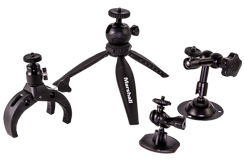
Mini Camera Stands and Mounts accessories

1/4"-20 Mounts

1/4"-20 Compact Camera Stands & Mounts,
Clamps, Articulating arms and more...

Read more
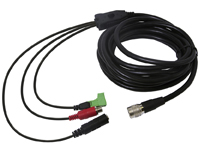
10 feet Hirose Breakout Cable

CV-BSE-10FT

10 foot (3.05m) Hirose Breakout Replacement Cable for
CV Series Cameras

Read more
Original 2 ft. Hirose Breakout Replacement Cable

CV-BSE-CBLE

Original 2 ft. Hirose Breakout Replacement Cable


Read moreClick to Buy
Touchscreen RCP Camera Control

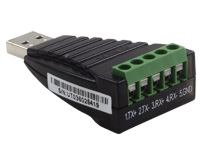
CV-USB-RS485

USB to RS485/422 Adapter for use with Marshall Windows Camera Control Software.
Download USB Adapter Instructions

Call for Price


10 feet Hirose Breakout Cable

CV-BATT-PAC

Portable Camera Power Kit

Read more

V-PS12V-2.0A-U-L/C - Replacement Power Supply

V-PS12V-2.0A-U-L/C

Replacement Power Supply


Click Here For Additional Accessories

CV502/505-series Live from Las Vegas, Nevada

CV502/505-series Live from Las Vegas, Nevada

CV502 capture wide-shot at College Basketball game

CV502/500 mounted on Basketball Backboard

CV502/500 mounted on Volleyball Net


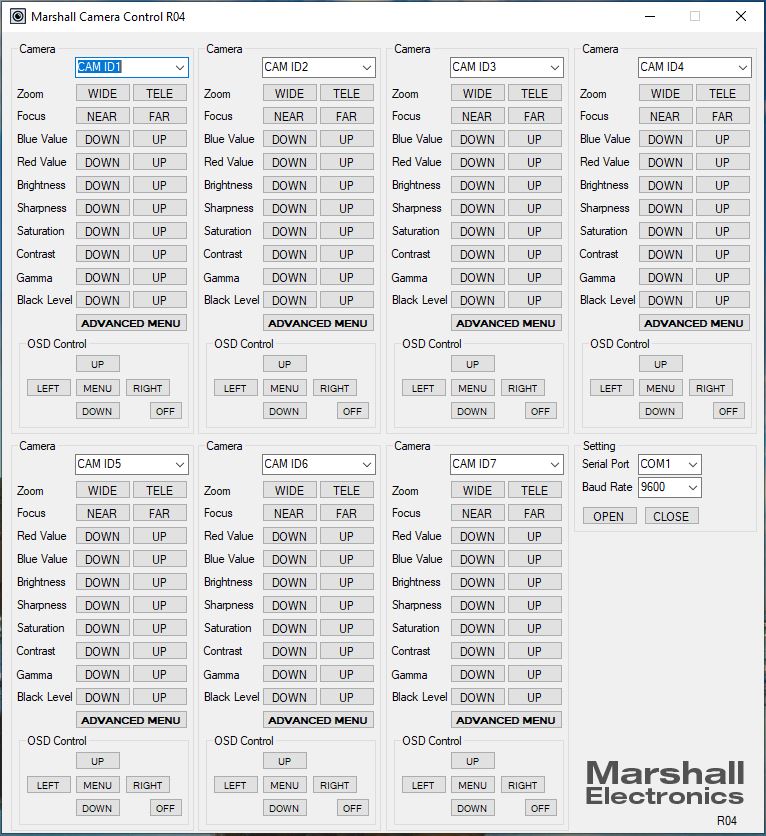
Camera Control Application

  1. Download Camera Control Software HERE
  2. Use USB to RS485/RS422 Converter (CV-USB-RS485)
  3. Use cat5 or 24AWG twisted-pair wire (sold separately)
  4. Connect cable from RS485(+) terminal on Camera to T/R (+) on USB/RS485 converter
  5. Connect cable from RS485(-) terminal on Camera to T/R (-) on USB/RS485 converter
  6. Plug USB cable from USB/RS485 converter into USB port on Laptop or Computer (note ComPort#)
  7. Open up CamControl Program and match Serial Port to corresponding ComPort# used
  8. Select Baudrate in CamControl Program and match it in Camera OSD Menu under DISPLAY CONTROL > BAUDRATE
  9. Select Camera Address in CamControl Program and match it in Camera OSD Menu under DISPLAY CONTROL > CAM ID
  10. Select Open in CamControl Program
  11. Test connection by pushing MENU in lower right of CamControl Program - OSD Menu should come up on video signal
  12. Commands can also be sent without using OSD Menu
Camera Control Software display

CV502/505-series Live from Las Vegas, Nevada

CV502/505-series Live from Las Vegas, Nevada

CV502 capture wide-shot at College Basketball game

CV502/500 mounted on Basketball Backboard

CV502/500 mounted on Volleyball Net

Camera Control Application

  1. Download Camera Control Software HERE
  2. Use USB to RS485/RS422 Converter (CV-USB-RS485)
  3. Use cat5 or 24AWG twisted-pair wire (sold separately)
  4. Connect cable from RS485(+) terminal on Camera to T/R (+) on USB/RS485 converter
  5. Connect cable from RS485(-) terminal on Camera to T/R (-) on USB/RS485 converter
  6. Plug USB cable from USB/RS485 converter into USB port on Laptop or Computer (note ComPort#)
  7. Open up CamControl Program and match Serial Port to corresponding ComPort# used
  8. Select Baudrate in CamControl Program and match it in Camera OSD Menu under DISPLAY CONTROL > BAUDRATE
  9. Select Camera Address in CamControl Program and match it in Camera OSD Menu under DISPLAY CONTROL > CAM ID
  10. Select Open in CamControl Program
  11. Test connection by pushing MENU in lower right of CamControl Program - OSD Menu should come up on video signal
  12. Commands can also be sent without using OSD Menu
Camera Control Software display

COMPANY INFO

Trade Shows | Press Releases | Employment Opportunities | Company Logos | About Us | Private Policy

WHERE TO BUY

Broadcast/AV Dealers | Broadcast/AV Intl. Distributors | GSA Dealers | Optical Intl. Distributors | Optical US Distributors

PRODUCT RESOURCES

RMA Request | Warranty | Software & Firmware | Marshall Catalogs | Discontinued Products | Overstock & Closeouts

BRANDS


MARSHALL MXL MOGAMI TAJIMI